







Every photographer needs more than just beautiful pictures and talent. If you run a business, you also need a fast, professional website that attracts clients, shows off your work, takes bookings, sells prints and keeps everything secure.
This guide looks at the best WordPress plugins for photographers, explaining how each one solves a different challenge. By the end you’ll know which tools to install to build a top photography website that offers galleries, sales, bookings, marketing and security in one place.

ShutterPress is a gallery plugin built by photographers for photographers.
ShutterPress isn’t just another gallery plugin though, it’s a purpose‑built companion created by photographers who know exactly what it takes to turn a collection of images into a compelling client experience. With ShutterPress you can arrange your photos in grid, justified or masonry layouts that elevate your work and invite visitors to explore via an elegant lightbox. The plugin’s seamless WooCommerce integration transforms that gallery into a shop, allowing you to sell prints or high resolution downloads directly from your portfolio and keep control of the entire transaction.
Privacy and professionalism are built in: you can password‑protect galleries and restrict access to registered users, add watermarks to protect your images and let clients mark favourites to streamline proofing. Navigation is smooth with your choice of pagination or infinite scroll, and ShutterPress looks beautiful on every device. It slots into your workflow with Gutenberg blocks and Elementor widgets for quick page building.
When it’s time to deliver, ShutterPress goes further: generate PDF licences for downloads, allow clients to download entire galleries as a zip file, and trigger automatic email notifications when their photos are ready. With its blend of polished presentation, integrated sales and thoughtful client tools, ShutterPress gives photographers everything they need in one plugin so they can spend less time managing their site and more time capturing perfect moments.
- Flexible galleries with grid, justified and masonry layouts plus lightbox display to show your work professionally
- Integrated sales: sell prints or digital downloads directly from your gallery using WooCommerce
- Protect and personalise your galleries with password protection, user access, watermarks, favourite selections and responsive design
- Ease of use with Gutenberg blocks, Elementor widgets and options for pagination or infinite scroll
- Extra features such as PDF licences, full gallery zip downloads and automatic emails when a gallery is ready

WooCommerce is a free e-commerce platform for WordPress.
WooCommerce is more than just an online shop plugin, it is the engine that powers ShutterPress sales. The core platform is free, open source and gives you full ownership of your store’s content and customer data. Using WooCommerce’s themes and modular product blocks, you can build a storefront that matches your style and presents physical goods and digital downloads beautifully. This makes it perfect for selling printed photographs, albums and high resolution digital files directly from your ShutterPress galleries.
ShutterPress taps into WooCommerce to handle every stage of the sale. Developer vetted extensions add support for subscriptions, bookings and memberships, so you can offer seasonal print subscriptions or studio memberships alongside one‑off purchases. Customers can pay however they prefer, WooCommerce supports credit cards, mobile wallets and bank transfers through more than a hundred gateways including Stripe, PayPal and Square. Built in shipping tools let you print labels, schedule pick ups and integrate with major carriers, while automated tax calculations take the guesswork out of compliance. Because WooCommerce is fully extensible and you control your data, it grows with your business and works seamlessly with ShutterPress to turn stunning galleries into a professional store.
- Free, open source platform that you fully own and control
- Create custom storefronts with themes and modular product blocks, and sell physical and digital products including variations and instant downloads
- Supports subscriptions, bookings and memberships via extensions
- Multiple payment gateways such as Stripe, PayPal and Square, plus mobile wallets and bank transfers
- Comprehensive shipping and tax tools including label printing, pick‑up scheduling and automated tax calculation
- Extensive add‑on ecosystem and full data ownership

Amelia lets clients schedule sessions without emailing or calling.
Amelia also works hand in hand with WooCommerce so clients can pay for their appointment and prints in one seamless transaction. You create bespoke booking forms that suit your workflow and the plugin confirms bookings instantly in the client’s time zone. Clients can reschedule or cancel directly from the front end and you can collect deposits, manage resources like studios or props, and offer packages .
When you enable WooCommerce integration, Amelia takes advantage of WooCommerce’s payment gateways, invoices and tax calculations. The plugin automatically creates a WooCommerce product to connect bookings with the shopping cart. You can even hide the cart when the price is zero or choose whether clients go through the cart or directly to the checkout, and each service can be tied to a different WooCommerce product to apply distinct taxes or options. This means a customer can add a portrait session to their basket along with print orders from your ShutterPress galleries and check out once with their preferred payment method.
Behind the scenes, Amelia synchronises with Google Calendar, supports multiple services in one booking, allows images in service descriptions and sends email and SMS reminders to reduce no‑shows. By uniting Amelia with WooCommerce and ShutterPress, you create a cohesive experience where booking sessions and buying photos happens in the same smooth flow.
- Custom booking forms let clients schedule sessions without contacting you and trigger instant confirmations
- Clients can reschedule or cancel appointments themselves, and you can collect deposits, manage resources and offer packages
- Integration with Google Calendar, support for multiple services and the ability to add images to service descriptions
- Automated email and SMS reminders reduce no‑shows
- Works with WooCommerce

Uncanny Automator is a no code automation plugin that connects your WordPress plugins, sites and apps.
It lets you create recipes in minutes: when something happens (a trigger), Automator can make other things happen (actions). For example, when a client buys a product, the plugin can add them to a membership level or course and send their details to Google Sheets. E commerce automation features allow purchases to trigger marketing campaigns, award store credit, request reviews and send purchase details to Google Sheets or Slack.
You can build reports and dashboards from WordPress activity with one click Google Sheets integration and even update existing records. Automator also supports powerful webhook integrations, letting you connect your site to other services with different data formats and unlimited outgoing webhooks. It can automatically post your galleries or blog posts to Facebook, Twitter, LinkedIn and Instagram, and it even links to OpenAI models so you can generate summaries, social media posts and SEO descriptions automatically.
Marketing automation tools let you integrate your favourite CRM to add or remove tags based on purchases or form submissions and send emails in bulk. Because it connects with WooCommerce, Gravity Forms, Amelia and other plugins, Uncanny Automator helps photographers automate follow‑up emails, build mailing lists and share content across platforms.
- No‑code automation builder that connects WordPress plugins, sites and external apps to perform actions based on triggers
- Example recipe: when a customer buys a product, automatically add them to a membership level or course and send their details to Google Sheets
- E‑commerce automation: trigger marketing campaigns, award credit, request reviews and send purchase data to Google Sheets or Slack
- One‑click Google Sheets integration to create and update reports or dashboards from your WordPress activity
- Extensive integrations for webhooks, social media posting, OpenAI content generation and CRM automations
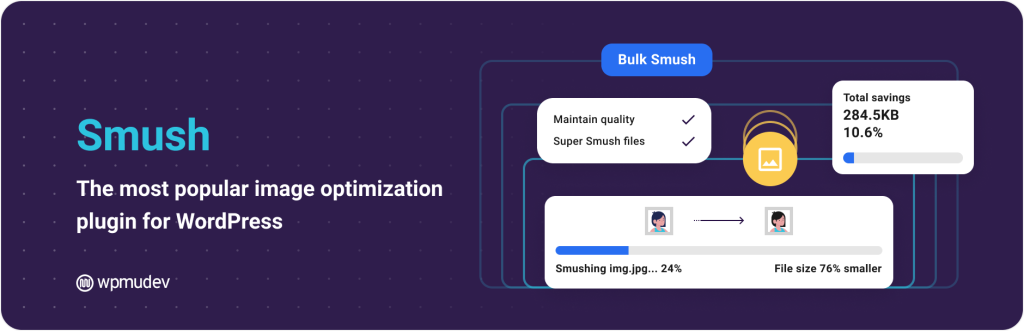
Smush compresses images without visibly reducing quality and converts them to formats like WebP and AVIF.
Smush makes it easy to slim down images without sacrificing quality. Its lossless compression strips unused data, and you can switch to a multi pass lossy mode for greater reductions. The plugin can convert your PNG and JPEG files to next generation formats like WebP or AVIF, and it has built in lazy loading to defer off screen images and videos. You can bulk optimise your entire media library with a single click, and Smush will compress new uploads in the background while you keep working. It also offers tools to resize images to fit their containers and identify pictures that need resizing.
Beyond standard media files, Smush can optimise images in any directory, even those stored externally on services like Amazon S3. You can save your preferred settings and apply them to other sites, and there are no monthly limits on the number of images you can optimise. All processing happens on WPMU DEV’s servers, so your own server resources aren’t used. Smush works with all PNG and JPEG files and integrates with the Gutenberg editor, making it a convenient choice for photographers who need to keep their portfolios light and fast.
- Compresses images losslessly or with slight quality reduction while converting them to formats like WebP and AVIF
- Built‑in lazy loading defers off‑screen images and bulk optimisation processes your entire media library
- No monthly limits and compression offloaded to remote servers, ensuring your site remains fast

Gravity Forms is a WordPress form builder plugin.
Its intuitive drag and drop builder lets you design bespoke forms without code, and every form is fully responsive so it looks great on a phone or a large monitor. You can use conditional logic to ask clients only the questions that matter, showing or hiding fields based on their previous answers. That makes quote or booking forms feel tailored rather than cluttered.
For photographers who need more than simple contact details, Gravity Forms can accept file uploads, compute prices or deposits via dynamic fields and calculations, and collect payments through Stripe, Square and Mollie, ideal for taking session fees or selling add‑ons. It even supports digital signatures, so clients can sign contracts or licences right in the form. With these capabilities you can create everything from basic contact forms to complex quotes and contracts, keeping your administrative tasks simple and your client experience professional.
- Drag and drop form builder with responsive design for seamless user experience
- Conditional logic to show or hide fields based on user selections, and support for file uploads and digital signatures
- Dynamic fields, calculations and payment processor integrations enable complex quote and booking forms

Wordfence provides an endpoint firewall and malware scanner.
Wordfence acts like a security guard inside your WordPress site: it watches incoming traffic and blocks malicious requests with an end point firewall and scans your files for malware. Drawing on the Threat Defense Feed, the plugin updates its firewall rules and malware signatures continuously and blocks IP addresses that are known to be malicious. This built in malware scanner compares your core files, themes and plugins to the official WordPress repository, detects backdoors and bad URLs, and can repair or delete infected files to restore them to a clean state .
Login security is covered too. Wordfence offers two factor authentication via any TOTP app and adds a CAPTCHA to the login page to stop bots. It can block logins that use known compromised passwords and limit the number of login attempts to thwart brute force attacks. With these layers of protection, Wordfence keeps your photography site safe so you can focus on creating and selling your images.
- Endpoint firewall and malware scanner with real time updates
- Blocks malicious IP addresses and limits login attempts to defend against brute force attacks
- Malware scanner checks core files, themes and plugins for threats , and login security includes two factor authentication and CAPTCHA

A solid backup solution for your photography website.
Protecting years of work is critical for photographers. UpdraftPlus is recognised as the most popular backup and migration plugin for WordPress and is active on more than three million sites. It lets you back up your entire site to Dropbox, Google Drive, Amazon S3 or a wide range of other remote storage services. You can choose to run backups manually or schedule them every few hours, daily, weekly or monthly, so there is always a recent copy of your content if something goes wrong.
Restoring a site is equally straightforward: a few clicks allow you to select specific components such as plugins, themes or your database and roll them back to safety. When it is time to move your site to a new host or domain, you simply download your existing files and upload them to the new location; UpdraftPlus automatically searches for old URLs and updates them during migration to avoid broken links. This combination of flexible backups, easy restores and reliable migration has made UpdraftPlus a trusted choice for photographers around the world.
- Schedule automatic backups or run them manually, storing your data in services like Dropbox, Google Drive and Amazon S3
- Restore specific components—such as plugins, themes or the database—in just a few clicks
- Migrate your site to a new host with built‑in search and replace and maintain reliability across millions of installations

WP Rocket is a caching plugin that optimises and speeds up your WordPress site.
It simplifies performance tuning by taking care of most optimisations the moment you activate it. Without any configuration, it applies around 80 per cent of web performance best practices. It caches your pages to generate static HTML and automatically preloads those caches whenever you update your site. Frequently accessed resources such as images, JavaScript and CSS are stored in the browser’s local memory to speed up repeat visits, and GZIP compression on the server reduces the size of your pages before they are sent .
When you are ready to fine tune, WP Rocket offers options to enable lazy rendering so only visible elements are processed, to exclude sensitive commerce pages like your cart or checkout from caching, and to minify and defer CSS and JavaScript to improve both load time and responsiveness. You can also defer images, background images, videos and iframes until they are needed. Additional tools allow you to clean up and optimise your database and integrate a CDN to reduce latency for visitors around the world.
- Immediate performance boost with automatic page caching, cache preloading and browser caching
- Compresses pages using GZIP and offers lazy rendering plus optimisation options for CSS and JavaScript to improve Core Web Vitals
- Ensures e‑commerce pages remain functional by excluding sensitive pages from caching, and supports database and CDN integrations

A Search Engine Optimisation plugin to help improve your google rankings.
Yoast SEO guides you through the technical side of search optimisation even if you are not an expert. As you type your posts or product descriptions, it analyses keyword use, structure and readability and gives clear, real time feedback right inside the editor. A snippet editor lets you craft SEO titles and meta descriptions and preview how your pages will look in search results. The plugin also adds structured data automatically and generates XML sitemaps and breadcrumbs so your site is easier to crawl and navigate .
Yoast’s readability checks help you simplify your writing and keep visitors engaged. It integrates seamlessly with the WordPress block editor, Elementor and WooCommerce, allowing you to optimise blog posts, galleries and product pages without leaving your familiar tools. By combining immediate guidance with automatic behind the scenes tasks, Yoast SEO enables photographers to attract the right audience and turn search visitors into clients.
- Real time analysis while you write, with guidance on keywords, readability and content structure
- Live snippet editor to control titles and meta descriptions
- Automatically adds schema markup, generates XML sitemaps and breadcrumbs, and works seamlessly with the block editor, Elementor and WooCommerce
- Includes readability checks to make your content clear and engaging
How to combine them
A great photography site combines stunning galleries, smooth bookings, fast loading times and secure transactions.
ShutterPress provides the beautiful galleries and sales framework
WooCommerce handles payments and orders
Amelia manages bookings and sessions
Automator links your tools and automates marketing
Smush optimises images
WP Rocket speeds up your pages
Yoast SEO helps you attract searchers
Gravity Forms collects enquiries and signatures
Wordfence keeps your site safe
UpdraftPlus ensures that you never lose a file
Investing in these plugins will give you a professional, feature‑rich photography site that clients love using. Start by setting up ShutterPress and WooCommerce, then add the others as your business grows.
The best WordPress plugins for photographers work together to help you focus on what matters most: capturing unforgettable images.
*Some links are affiliate links, which means I may earn a small commission if you purchase through them, at no extra cost to you.