






The ShutterPress Gallery Plugin makes it simple to create and manage professional galleries. Follow the steps below to create a gallery.
Navigate to the Galleries Section #
Log in to your WordPress admin dashboard.
In the left-hand menu, go to ShutterPress Gallery > All Galleries.
Click the Add new Gallery button at the top of the page.
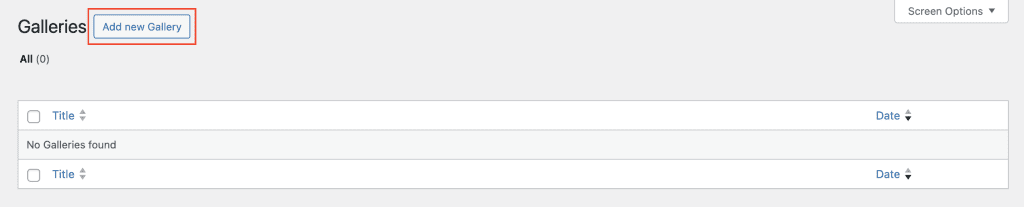
This will take you to the gallery page. #
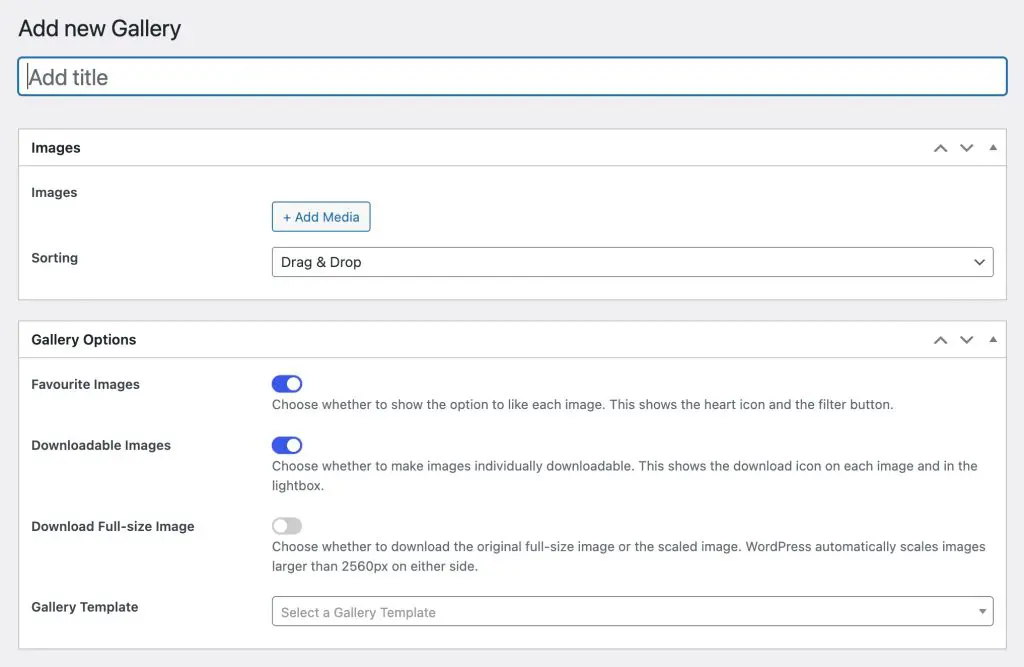
Enter a title for your gallery in the text field at the top
Add images to the gallery #
Click the Add Media button.
Drag and drop images from your computer or click Upload Files to select images, or Click the Media Library tab to select images already in your library.
Configure Gallery Options #
Allow Favourite Images #
This allows visitors to the gallery to select their favourite images by selecting the heart icon on the image. These will be stored and shown every time a visitor returns to the gallery. If this is disabled the heart icon and the show favourite images button will not be shown.
Make Images available for download #
The shows the download icon on the image and also in the top right corner of the Lightbox to allow visitors to the gallery to download images individually.
Download Full Size Image #
When an image is uploaded to the gallery wordpress checks it’s size and if it’s over 2560 pixels on the longer edge a scaled version is created and stored. This option allows you to choose whether the scaled 2560 pixel image or the original full size image is made available for download.
Gallery Template #
Choose from any of the gallery templates that you have already created in Gallery Templates to control how the gallery is displayed on your website.