







ShutterPress isn’t just compatible with WooCommerce it’s designed around it.
If you’ve tried other gallery plugins, you know the problem. They create a separate WooCommerce product for every image in your gallery. That might work for small shoots, but once you start uploading hundreds of images, it becomes a nightmare.
Product management becomes chaotic. Your store bloats. Updating prices or product types means editing each image individually.
ShutterPress solves this by taking a smarter, scalable approach.
Sell Hundreds of Photos and Digital Downloads by adding just a few WooCommerce Products
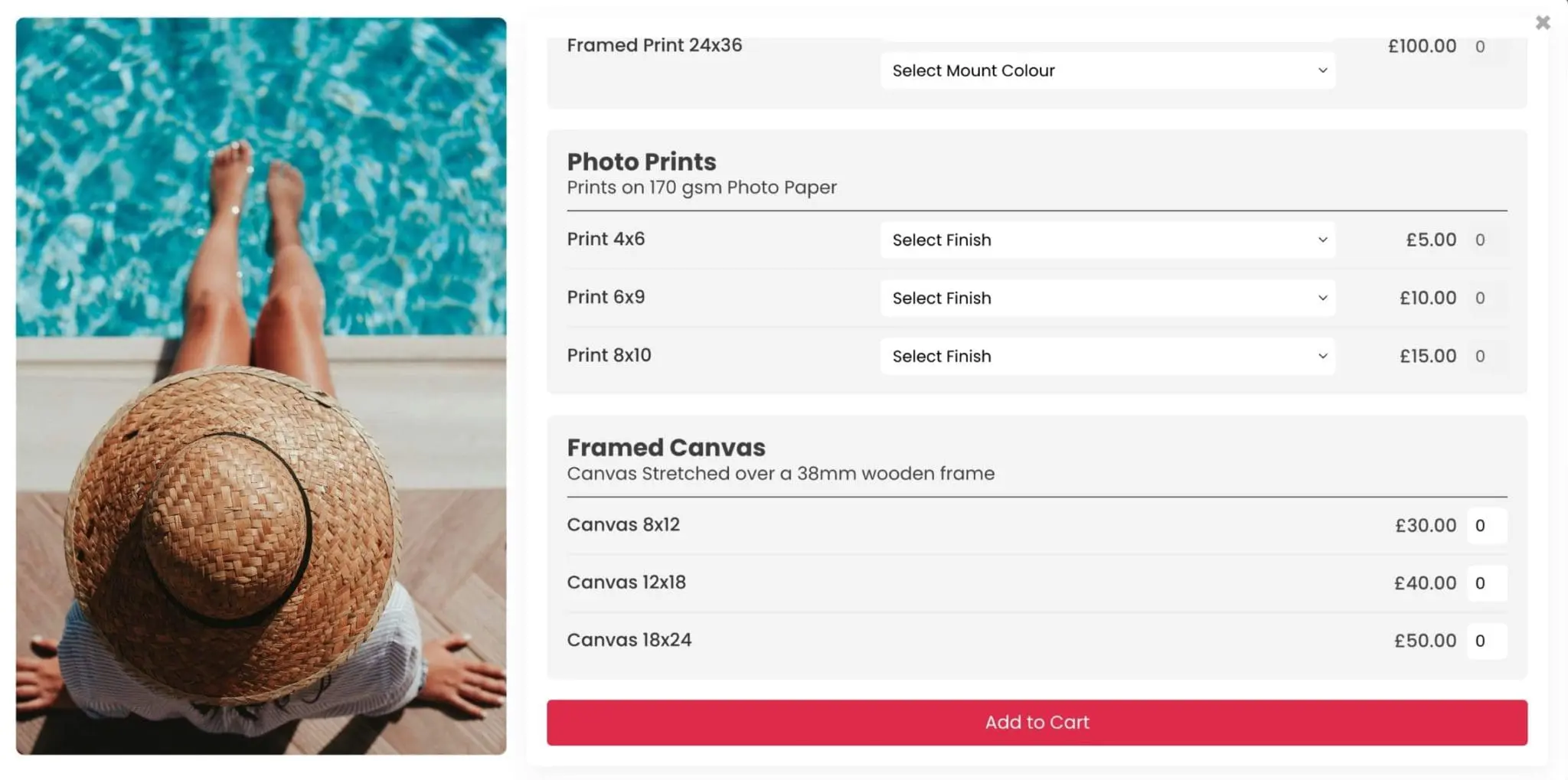
Template Products for Easy Management
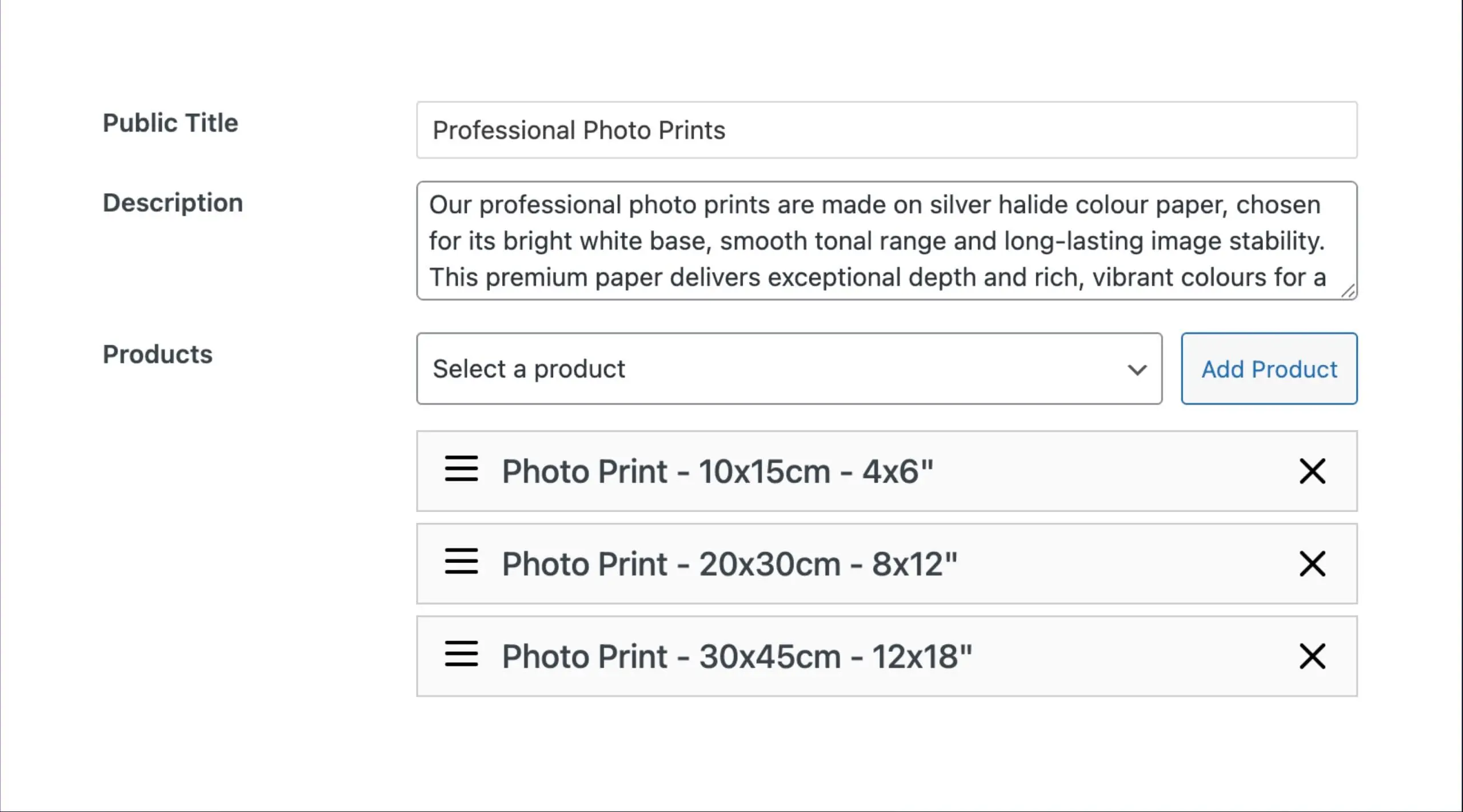
Create template products, for example Digital Download, 12×8 Print, Framed A3, Black and White Print, then assign them to galleries. Want to sell three print sizes for every image in a wedding gallery, assign the products once and it is ready.
Need to update prices or add a new option, change the template and it applies to every linked image at once. No duplication, no clutter.
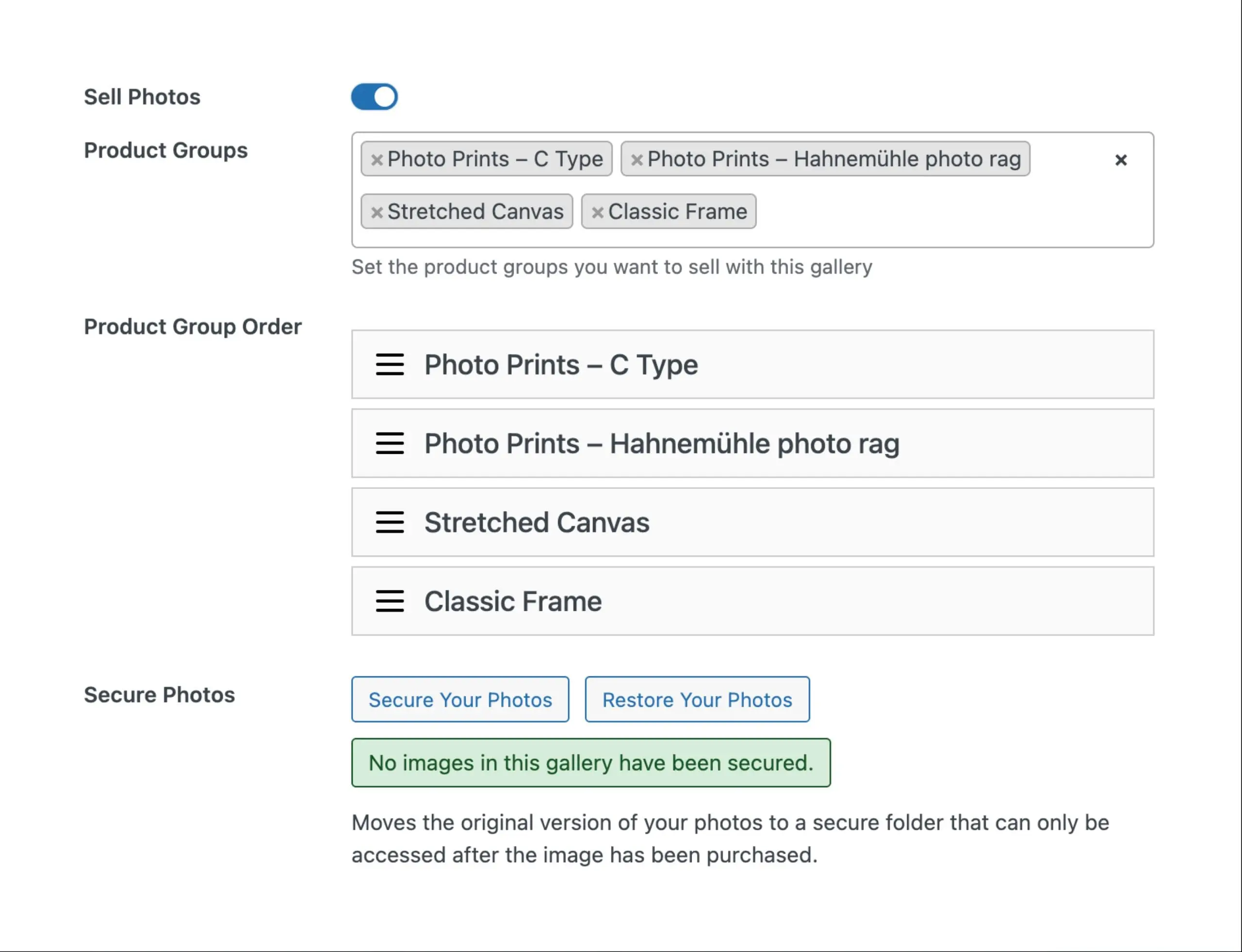
Create reusable product groups and apply them to galleries in a single click. Whether you’re shooting weddings, portraits, or real estate, each group can have its own pricing and setup. It’s flexible, fast, and designed to fit your workflow — not the other way round
- Update an entire gallery in seconds
- Keep product lists tidy even with thousands of photos
- Reuse the same products across multiple galleries
- Sell Hundreds of Photos with just a few products

Secure Photo Downloads
Keep your images safe from unauthorised access. ShutterPress stores downloads in a protected server directory that cannot be accessed directly.
On top of that, each file is renamed with a secure, random prefix and stored in a hidden folder with a unique name — so even if someone tries to guess the URL, they won’t find a thing.
Your clients only ever see clean, secure links that can only be accessed from your website.



Why Woocommerce?
Because it’s the most powerful eCommerce platform in WordPress — and you’re probably already using it. With ShutterPress, you can:
- Use the same checkout for prints, downloads, workshops, merch, or any other service you sell
- Take payments via your existing WooCommerce gateways (Stripe, PayPal, Klarna, Apple Pay, etc)
- Offer discounts, coupon codes, subscriptions or upsells using your favourite extensions
- Track everything in one system — orders, inventory, customer accounts
One Cart, Easy Checkout
Other gallery systems often force your clients into a separate cart or a limited custom checkout. This causes friction and makes selling anything beyond photo products awkward.
ShutterPress uses your existing WooCommerce cart and checkout, so your clients can:
- Buy prints and downloads from one or multiple galleries
- Add unrelated products or services to their order
- Pay once, through one streamlined checkout experience
This also means you can use WooCommerce Subscriptions, Memberships, Bookings, or any other plugin without compatibility headaches.

The ShutterPress Way
ShutterPress uses template products and product groups so you can assign options to whole galleries at once. Keep your store clean, update pricing in one place, and scale without duplication. Don't create hundreds of products for photo's you'll probably not even sell.
- Create template products for all your photos
- Quick and Easy
- Built for Photographers
Other Gallery Plugins
Other gallery plugins create a separate WooCommerce product for every image. This can work for small shoots, when you upload hundreds of images it becomes hard to manage. Product management turns chaotic, the store becomes bloated, updating prices means editing each image on its own.
- One WooCommerce product for each photo
- Slow and Inefficient
- Photo sales are an afterthought
Compatible with other Plugins
ShutterPress works out of the box with:
- Most other WooCommerce Compatible Plugins
- Popular third-party tools like Sequential Order Numbers, PDF Invoices, AutomateWoo, and Advanced Coupons
- Modern payment methods, shipping plugins, and tax calculation tools
Because it uses WooCommerce, you’re not locked into a limited photo-cart. You have full freedom to run your business how you like.
Built For Scale
Photographers often handle hundreds or thousands of images per client. ShutterPress is made for that scale.
- Update products for an entire gallery in seconds
- Assign product groups across multiple galleries without repetition
- Keep your product list clean — even with thousands of photos in your store
You stay in control, even as your business grows.
In Short
If you’re a photographer using WooCommerce, ShutterPress will save you hours of setup time, reduce store clutter, and give your clients a better shopping experience.
No bloated product lists. No duplicated entries. No friction.
Just a powerful, scalable way to sell your work — using the tools you already trust.